
01
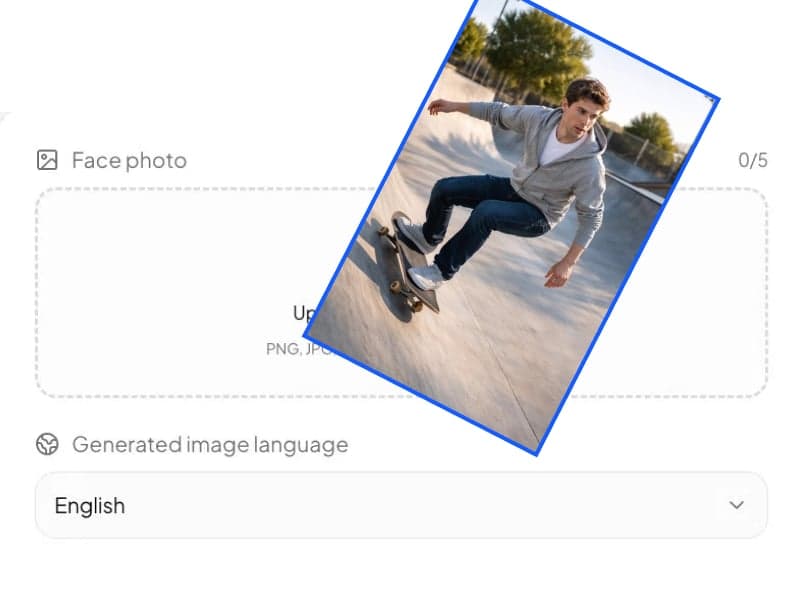
Upload your photo.
Drop in a PNG, JPG, JPEG, or WEBP file. Portraits, pets, landscapes, street scenes - anything works.
Turn any photo into a hand-painted Studio Ghibli-style scene.
Upload one image and the AI redraws it in Studio Ghibli's signature gouache-and-watercolor style. Works on portraits, pets, and landscapes - no prompt required.
3 credits per image · Up to 2K resolution · PNG, JPG, JPEG, WEBP supported


Upgrade to download generated images directly without a watermark.
Review your recent stylized images and download the generated results.
Drag the slider to see the Ghibli Style Filter applied to real photos.
Lush hand-painted backgrounds, soft watercolor washes, dewy lighting, and the studio's gentle high-saturation palette - faithfully restored on portraits, pets, and landscape shots alike.
Ghibli Style Example
Ghibli Style Example 1


Ghibli Style Example
Ghibli Style Example 2


Ghibli Style Example
Ghibli Style Example 3


Ghibli Style Example
Ghibli Style Example 4


Ghibli Style Example
Ghibli Style Example 5


Ghibli Style Example
Ghibli Style Example 6
Portraits - soft outlines, rounded features, the picture-book character feel.
Pets - fluffy textures and warm light, the way Ghibli films treat their animal cast.
Landscapes - vivid greens, deep skies, and that quiet, breathable atmosphere.
No prompt writing, no settings to figure out. Upload, pick a size, generate.
Drop in a PNG, JPG, JPEG, or WEBP file. Portraits, pets, landscapes, street scenes - anything works.
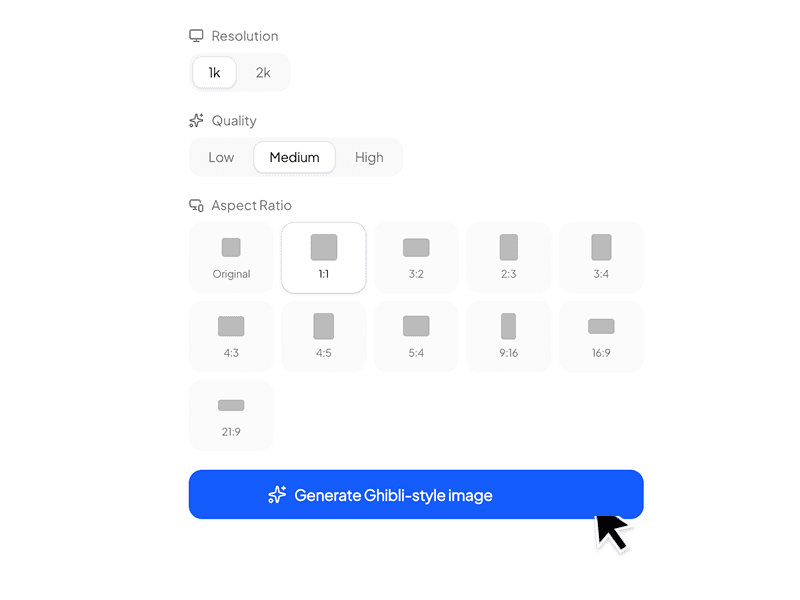
Choose 1K or 2K output. Set quality to Low, Medium, or High depending on how much detail you want. Pick an aspect ratio - keep Original, or switch to 1:1, 3:2, 16:9, 9:16, or any of the other supported ratios.
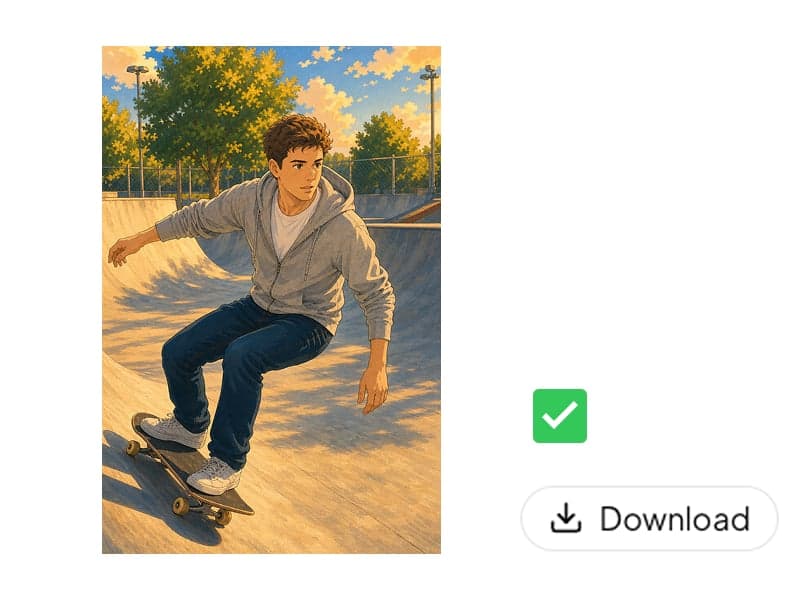
The task runs in the background and appears in the results panel on the right when it's ready. Click Download to save your Ghibli-style image.
Generic AI image generators give you "anime-ish" results. This one is tuned end-to-end for Studio Ghibli's look.
The filter runs on top of GPT Image 2 - a current-generation image model with up-to-date world knowledge and a strong grasp of art-historical references. That means it understands what "Studio Ghibli" actually looks like, instead of approximating from a vague "anime" baseline.
This is a dedicated Ghibli style filter, not a general-purpose image generator with a Ghibli LoRA bolted on. All the parameters - style strength, color profile, brush behavior, lighting - are pre-tuned. You upload an image and click Generate. That's the whole interaction.
Switch from 1K to 2K when you want a print-ready file. Use the result as wall art at home, in a child's craft project, in a classroom handout, or in any other context where 1K just isn't sharp enough. Most casual filters cap out well below this.
Original, 1:1, 3:2, 2:3, 3:4, 4:3, 4:5, 5:4, 9:16, 16:9, 21:9. Square posts, vertical phone wallpapers, ultrawide desktop backgrounds, story-format social content - pick the ratio for the destination before you generate, not after.
Studio Ghibli's backgrounds are built on gouache for structure and watercolor for color richness - opaque base layers softened by translucent washes. The filter reproduces that combination: stable color blocks, soft brush edges, and the gentle bleed that gives Ghibli scenes their dreamlike quality.
The AI reads your photo's subjects and scene, then re-renders them with the studio's signature environmental detail: lush greenery, hand-drawn buildings, and the iconic Ghibli sky. Personalized to your image, not stamped from a preset.
Works on any image, not just one category. Convert a selfie into a picture-book character, a cat photo into a Ghibli-style animal, a vacation landscape into a studio background. One filter, every subject.
Runs in any modern browser on iOS, Android, Mac, and Windows. No app to install, no plugin, no setup - open the page, upload, generate.
Ghibli-style images consistently perform on Instagram, TikTok, X, Xiaohongshu, and Pinterest. Generate at the right aspect ratio for the platform and post directly - no extra resizing step.
Downloads come without a watermark. Uploads are processed only to produce your result - not used to train models, not shared with third parties - and you can delete any task from your history in one click.
Use the filter for personal artwork, social content, concept exploration, printable keepsakes, and full illustrated travel journals.
Convert your own photos into Ghibli-style profile pictures, phone wallpapers, and chat stickers with a hand-drawn, picture-book feel.
Use a portrait as the base, then iterate at different aspect ratios and quality settings to develop a character for a story, a TTRPG, or a personal project.
Filmmakers, animators, and students building Ghibli-inspired short films can generate scene references, mood boards, and color keys from real-world photographs.
Ghibli-style transformations are one of the most consistently engaging image formats across platforms. Generate at 9:16 for stories, 1:1 for feed, 16:9 for thumbnails.
Generate at 2K, then print as framed wall art, educational materials, classroom posters, or kid-friendly craft activities based on family photos, pet photos, or local landscapes.
Turn vacation shots into a softened, illustrated version of the trip - beautifully consistent across an entire album.
"Ghibli style" gets used loosely. Here's a closer look at the techniques the filter is built to reproduce.
Try the filter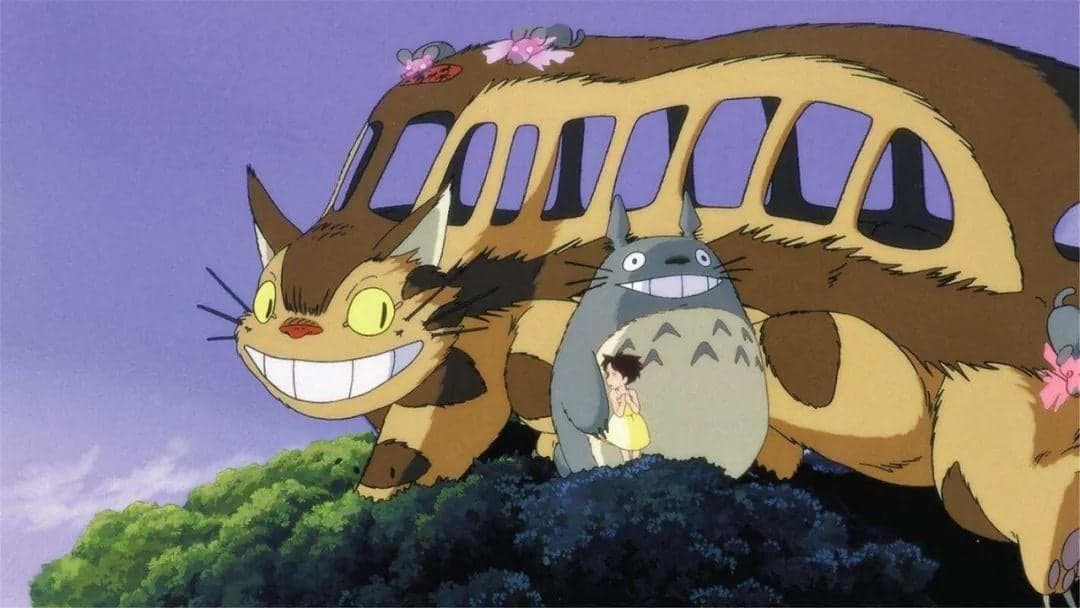
Studio Ghibli's backgrounds are mostly painted with gouache, not pure watercolor. Gouache is drier than watercolor, with strong coverage, high brightness, and even color blocks - easier to control across a full scene and practical for commercial animation production.
What's interesting is that Ghibli's core creators - director Hayao Miyazaki and background artist Kazuo Oga - are watercolorists by training. The studio's backgrounds use gouache for stability, then layer watercolor on top to refine color.
The result is the studio's signature look: a clear, structured color base, lifted by watercolor's bleed and soft transitions into something dreamlike and rich in detail. The filter is tuned to reproduce both layers - opaque structure underneath, translucent color richness on top.
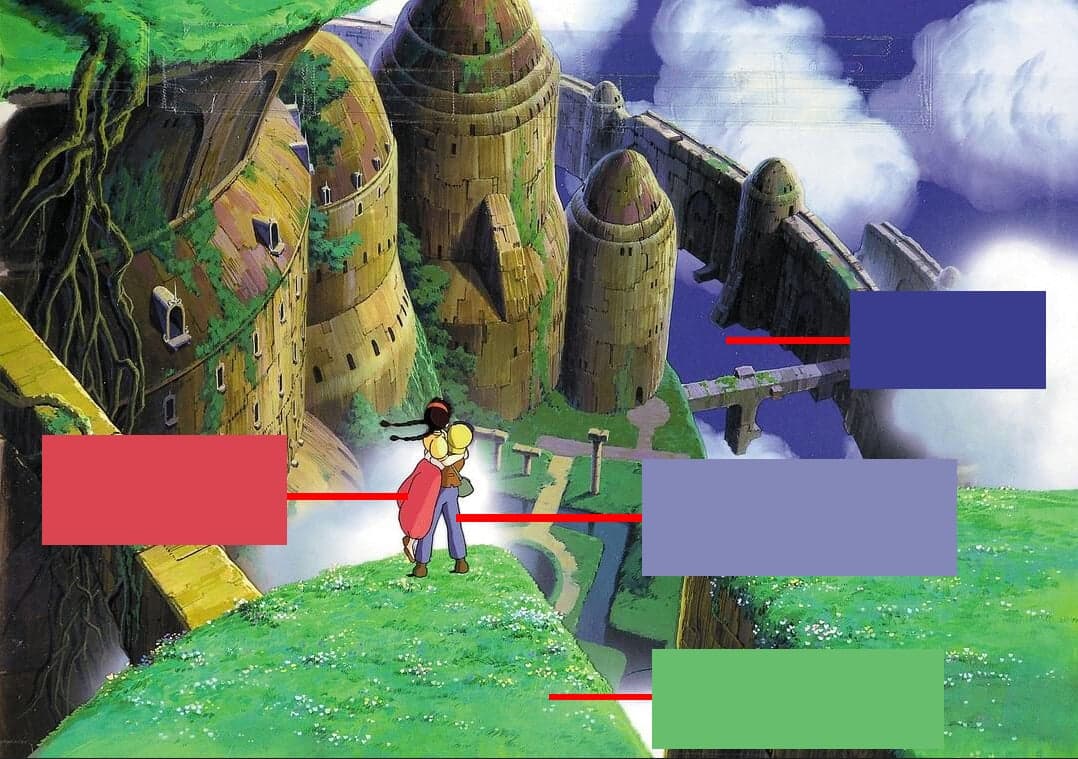
Say "Ghibli style" and most people picture blue sky over green grass. That's not an accident - most Ghibli films are about nature, the studio's lead artists specialize in vegetation, and decades of marketing art have anchored that color combination in the audience's mind.
But blue-and-green isn't unique to Ghibli. What makes Ghibli's version memorable is the tension: the colors are vivid, but the image is calm, soft, and quiet rather than loud.
The trick is in the palette. Ghibli rarely uses fully saturated pure colors - they're mixed with a touch of sophisticated gray to take the edge off. The filter holds that balance: vivid, but never harsh.
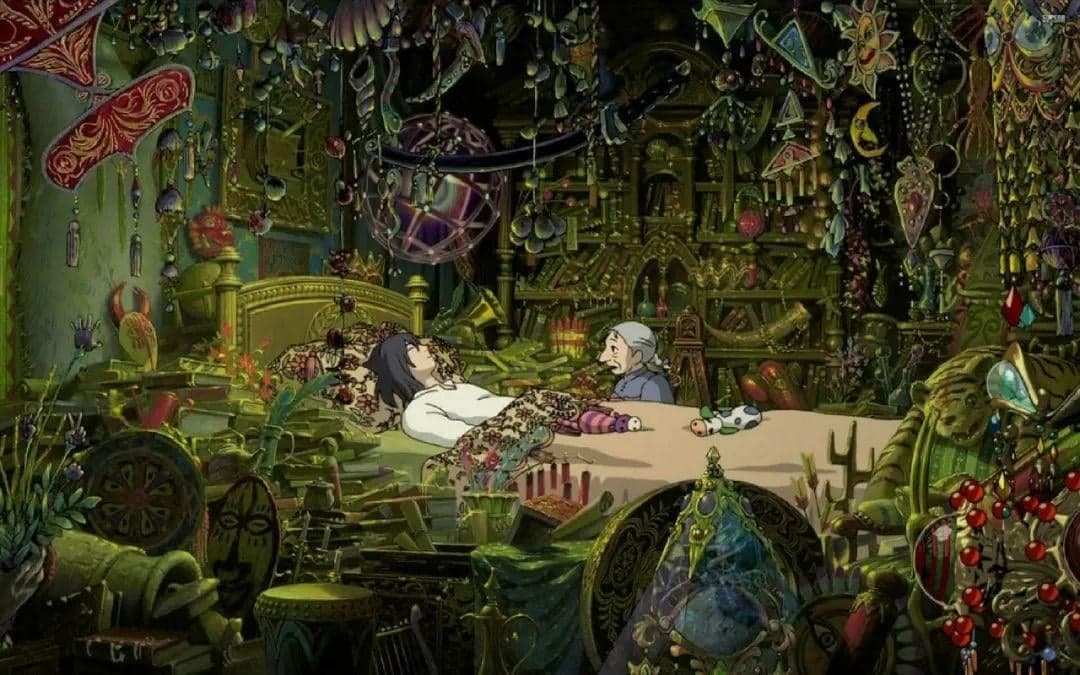
Ghibli films are skilled at laying a single dominant hue across a scene to communicate its emotion - so the audience reads the mood in one glance, before any dialogue lands.
Howl's Moving Castle is the clearest example. A lively Central European town is washed in orange and yellow to make excitement feel sun-warmed. Scenes about inner conflict use a muddy green-yellow tint to embody quiet melancholy. In moments of grief, the usual sunlit palette can flip to a cool blue-purple wash.
The filter detects the mood implied by your source image and adjusts the color filter accordingly - not always the same Ghibli blue-and-green.
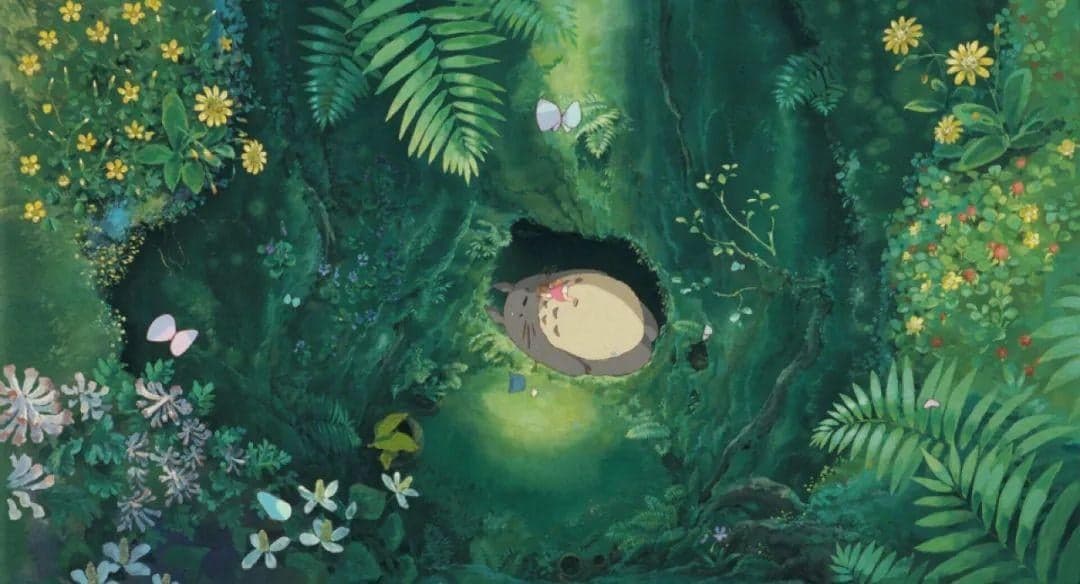
Ghibli scenes are often dominated by one color - a forest entirely green, a sky entirely blue - and somehow the frame still reads as layered and legible. Nothing blurs into mush.
Two things make that work. First, the high-saturation, clean palette keeps every shape distinct. Second, the brush technique varies across the image: tighter strokes for foreground details, softer strokes for damp stone surfaces, and finely rendered grain for bark or close-up textures.
The filter mirrors this: brushwork density and lighting vary across the result rather than applying one uniform effect.
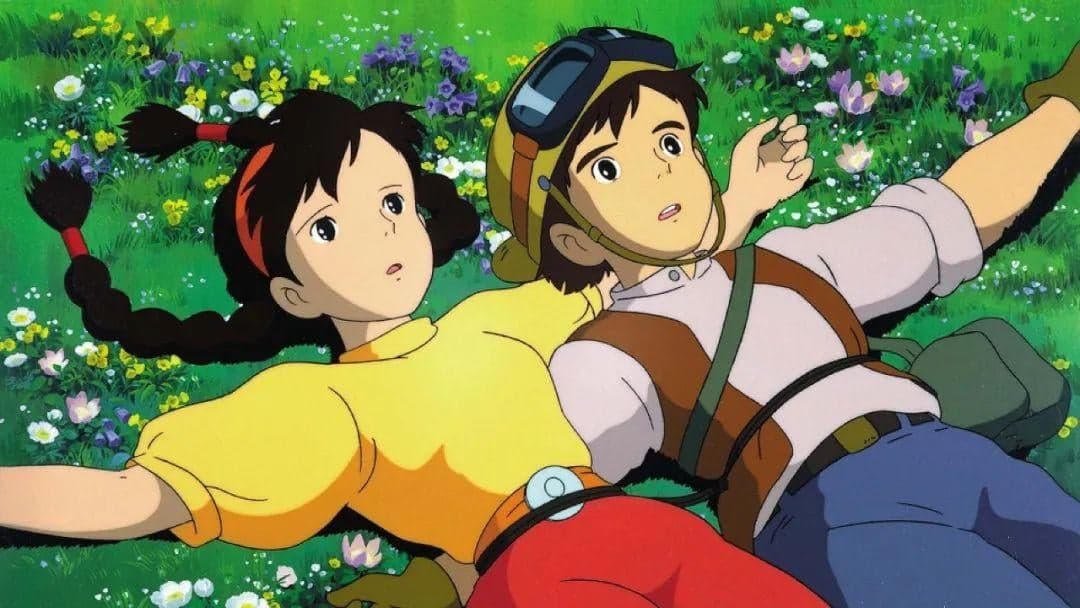
The other half of "Ghibli style" is character design. Most Ghibli characters feel closer to a picture book than mainstream TV anime: simple, warm, rounded, and identity-driven.
Upload one image, keep Original or choose another aspect ratio, and generate a soft hand-painted result at up to 2K resolution.
Try more focused AI image workflows. These are the latest tools except the one you are viewing now.

Turn photos into printable coloring pages, or colorize sketches, line art and storybook drawings with AI.

Create a custom family crest with your own shield, meaningful symbols, colors, initials and optional motto.

Turn a portrait into a recognizable flat paper-cut cartoon character, or create an original small-town character from text.
We use essential cookies to keep ChatImage working and optional analytics to understand how people use the product. You can review details in our Cookie Policy.